Description
Game Introduction
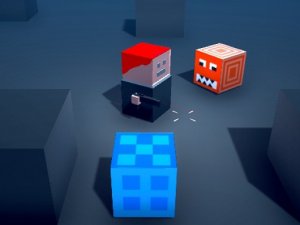
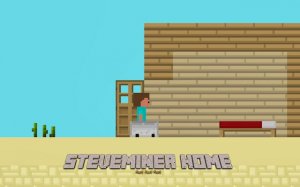
Steve's Home Journey Platformer is a cheerful online game designed for players of all ages. In this game, you guide the adventurous Steve through bright, creative landscapes filled with playful obstacles. Your mission is to help Steve safely reach his cozy home at the end of each stage. The game tests your quick thinking, timing, and agility as you navigate courses that are designed to be entertaining without any scary or inappropriate content. Each level becomes a little more challenging as you progress, ensuring that you always have new puzzles to solve while helping Steve on his heartwarming journey home. The pixel art style gives the game a classic, charming look that appeals to fans of retro gaming. The game is designed to be a fun and relaxing experience for everyone, with no violent or mature themes. The obstacles are whimsical and the environments are colorful, making it a great choice for family game time. The game is available to play online for free, and it can be enjoyed on both desktop and mobile devices. The simple yet engaging gameplay makes it easy for anyone to pick up and play, while the increasing difficulty keeps it interesting for more experienced players. The game's focus on helping Steve return home creates a positive and motivating goal that players of all ages can appreciate.
How to Play
Players typically control Steve using simple keyboard or touch inputs. On desktop devices, you can use the W key to make Steve jump, and press it twice in mid-air to activate a double jump that helps reach higher platforms or avoid clusters of obstacles. The A key makes Steve stop immediately, which is useful for waiting for a safe moment to move past moving obstacles. On mobile devices, you can use the upward swipe or on-screen jump button to jump, and the dedicated stop button to halt Steve. Taking time to observe obstacle patterns before moving is helpful, and sometimes a well-timed stop is more useful than speeding through the course. The controls are designed to be intuitive and responsive, allowing players to focus on the fun of navigating each level. The game provides clear visual cues to help players understand when to jump, stop, or wait. The double jump mechanic adds an extra layer of strategy, as players must decide when to use it to reach distant platforms or avoid tricky sections. The stop ability is a unique feature that encourages careful planning and patience, rather than just fast reflexes.
Game Features
Cross-platform play allows you to enjoy the game on desktop and mobile devices. Creative levels offer fresh challenges as you progress. Intuitive family-friendly controls make it easy for anyone to start playing. The game is designed for all ages with no inappropriate content. The pixel art style gives the game a classic, charming look that appeals to fans of retro gaming. The game features a variety of levels that gradually increase in difficulty, providing a satisfying sense of progression. The cheerful soundtrack and sound effects enhance the playful atmosphere. The game is free to play online, making it accessible to a wide audience. The levels are designed to be replayable, as players can try to improve their time or find alternative paths. The game's focus on positive, non-violent gameplay makes it a safe choice for children and families. The simple yet engaging mechanics ensure that players of all skill levels can enjoy the experience.
Tips for Success
Practice the double jump timing to clear gaps and reach high platforms. Use the stop ability to wait for moving obstacles to pass. Observe each level's layout before making a move to plan your route. Take breaks if you feel stuck, as a fresh perspective often helps. Enjoy the journey and don't rush—each stage is designed to be fun and rewarding. Focus on learning the patterns of obstacles rather than trying to speed through. Patience and careful observation are key to mastering the game's challenges.