Description
Game Introduction
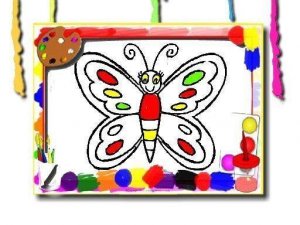
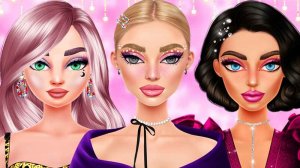
Butterfly Jewelry Design Studio is a creative fashion game where players craft custom butterfly ear cuffs in a virtual studio. The core objective is to design unique accessories by selecting base shapes, metal finishes like gold, silver, or rose gold, and adding sparkling gemstones for a personal touch. You can also paint the butterfly wings with a wide range of colors and patterns, making each creation original. Beyond jewelry, the game allows you to apply face makeup and nail art that match your design, and finish with a trendy hairstyle. This game is designed for anyone who enjoys fashion, art, and jewelry making. It encourages creativity and experimentation without limits. The simple interface works smoothly on both desktop and mobile devices, making it easy to spend a few minutes or longer exploring different looks. Whether you are a beginner or a seasoned designer, you will find joy in building accessories that reflect your personal style.
How to Play
Players use their mouse or touch screen to navigate the design studio. The process begins by choosing a butterfly ear cuff shape from the available options. Next, you select a metal color for the base of the cuff. After that, you can add gemstones to decorate the cuff and make it shine. Using paint tools, you then create unique patterns and colors on the wings. To complete the look, you apply face makeup and nail designs that coordinate with your ear cuff, and finally choose a hairstyle. You can mix and match different elements to see what works best. The game saves your progress, so you can return to refine your design later. Each step is guided by clear icons, making it easy to follow even for younger players. The controls are responsive and intuitive, ensuring a smooth experience on any device.
Game Features
Features include the ability to choose from multiple ear cuff shapes and metal finishes. You can add a variety of gemstones for decoration. The game offers tools to paint butterfly wings with custom patterns and colors. You can also apply face makeup and nail art to match your design, and select from several hairstyles to complete the look. All features are safe and family-friendly, with no inappropriate content. The game runs smoothly on desktop and mobile browsers without requiring any downloads.
Tips for Success
Experiment with different color combinations to find what pleases your eye. Try matching your ear cuff design with complementary makeup and nail art for a cohesive look. Use the save feature to revisit and refine your creations over time. Don't be afraid to try bold patterns and gemstone arrangements—creativity is key. Take advantage of the wide palette to make each design unique. Practice mixing metals and wing colors to discover new styles.